
You tap 'Go Live,' glance down to welcome your first few viewers, and immediately spot two bright, blinding white squares hovering over your pupils in the video preview. If you wear glasses, you know this pain all too well. Every time you turn your head to read a comment, your lenses turn into glowing headlights, completely hiding your eyes behind a reflection of your desk lamp.
The good news? You do not need an expensive ring light, a softbox kit, or fancy anti-reflective lens coatings to fix this. Light behaves just like a bouncing ball on a hardwood floor: the angle at which it hits your glasses is the exact angle it bounces off. When your lamp sits right behind your phone or directly in front of your face, that light bounces straight off your lenses right back into your camera.
The 45-Degree Trick (And Why Height Matters)
To stop the glare instantly, slide your lamp about two feet to the left or right of your setup instead of keeping it directly behind your phone. Then, raise the lamp up slightly—or tilt its flexible neck—so the shade is pointing down at your face from roughly a 45-degree angle above eye level.
Because the light is hitting your glasses from the side and above, the reflection bounces downward toward your desk or off to the side wall instead of right into your camera lens. Your face stays softly lit, and your eyes remain completely visible to your chat. If the light on one side of your face feels a bit bright after shifting it, you can easily pair this angle adjustment with the yellow-light cure to soften the bulb with a simple sheet of paper.
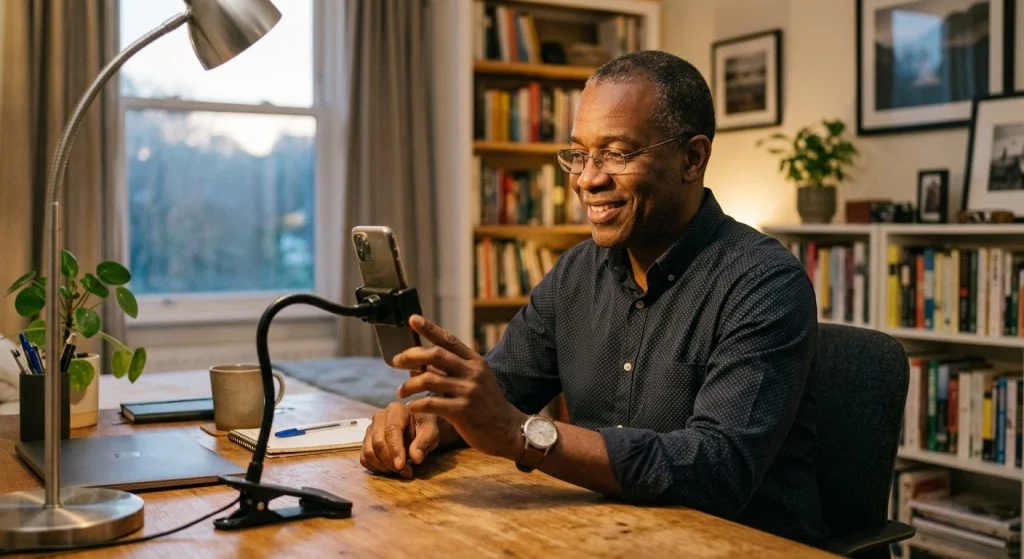
Align Your Camera Height Too
Once your lamp is angled, double-check where your phone or camera is sitting relative to your face. If your phone sits low on your desk and points upward at you, you will naturally tilt your chin down to look at the screen, which tilts your glasses directly into any ambient room lighting or monitor glow.
Raising your phone mount up so the camera aligns with your eyebrow line makes a world of difference. You can read more about setting up your lens height in our guide on where to position your camera for natural eye contact.
When your chat can actually see your eyes instead of bright white rectangles, your stream instantly feels warmer, closer, and far more conversational.
The 10-Second Pre-Stream Glare Check
Before you hit the broadcast button tonight, open your camera preview and do a quick check. Turn your head left and right, look down toward where your chat feed usually scrolls, and tilt your chin up slightly. If you see a flash of glare, nudge your lamp back another inch or two or raise it slightly higher.
It takes less than a minute to adjust, costs literally nothing, and lets your audience connect with the real person behind the screen.